
MEPCO is one of the leading construction and contracting companies in Saudi Arabia. Established in 1420 AH, the company has been steadily progressing to keep pace with the rapid urban development witnessed in the Kingdom.
MEPCO is one of the leading construction and contracting companies in Saudi Arabia. Established in 1420 AH, the company has been steadily progressing to keep pace with the rapid urban development witnessed in the Kingdom.


 MEPCO
MEPCO
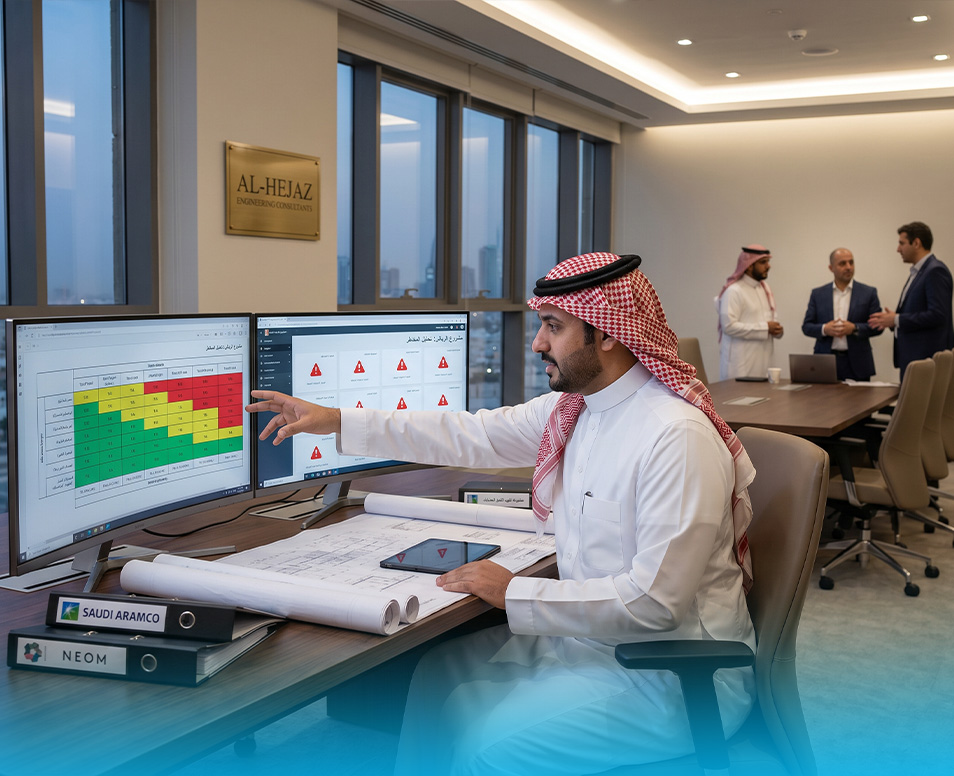
A project Risk Register is considered one of the most important decision-management tools in turnkey projects — not just a formal spreadsheet attached to project documents. Projects that combine design, procurement, execution, and handover require early visibility into potential risks, assignment of ownership for each risk, and clear response actions to reduce impact before risks become problems affecting time, cost, or quality.
In construction projects across Saudi Arabia, decisions from owners, consultants, contractors, suppliers, planners, and QA/QC teams are closely interconnected. This makes the Risk Register a practical tool for tracking execution risks, procurement risks, design risks, and project changes that may arise during implementation. The more frequently the register is updated and linked to meetings and schedules, the more it becomes a real control tool rather than an administrative document with little value.
A Risk Register in turnkey projects is a live document that identifies potential risks, the cause of each risk, the likelihood of occurrence, expected impact, responsible owner, and the planned response action.
The goal is not to eliminate all risks completely — which is unrealistic in multi-party construction projects — but to anticipate risks, monitor them, and reduce their impact.
A project Risk Register becomes effective when it is:
For example, if there is a risk related to delayed procurement of a critical material, design coordination conflicts, or poor productivity in a critical activity, the risk should not remain a generic statement. It should be converted into:
Turnkey projects differ from traditional construction projects because they combine multiple responsibilities under one scope extending from concept and design through execution and final handover.
This creates interconnected risks across:
A small issue in the design phase may later affect procurement and execution. For example:
Here, the Risk Register helps reveal the relationship between events before they escalate.
For this reason, the Risk Register should never be treated as a document created once at project startup and ignored afterward.
A practical Risk Register should contain enough information to support decision-making.
Each element helps transform risk management from general discussion into measurable tracking.
| Risk | Related Phase | Probability | Impact | Priority | Response Plan | Owner | Status |
|---|---|---|---|---|---|---|---|
| Delay in shop drawing approval | Design & approvals | Medium | High | High | Weekly review of critical drawings with consultant | Technical Office Manager | Open |
| Delay in critical material delivery | Procurement | High | High | Critical | Approve alternatives and monitor procurement plan | Procurement Manager | Under Review |
| MEP coordination conflict | Coordination & execution | Medium | Medium | Medium | Coordination meetings before execution | BIM/Coordination Engineer | Open |
| Low site productivity | Execution | Medium | High | High | Review manpower and equipment allocation | Site Manager | Under Review |
| Owner scope change during execution | Variations | Medium | High | High | Analyze time/cost impact before implementation | Project Manager | Open |
| Material sample rejection | Procurement & QA/QC | Low | Medium | Medium | Early sample review and specification verification | QA/QC Engineer | Closing |
| Area not ready for execution | Site execution | Medium | Medium | Medium | Coordinate area handover with weekly plan | Construction Manager | Open |
| Accumulated QA/QC comments before handover | QA/QC & handover | Medium | High | High | Create snag tracking log with close-out dates | QA/QC Manager | Under Review |
Execution risks often appear during site activities and may involve:
Each execution risk should be linked to:
Procurement risks are among the most critical in turnkey projects because a single delayed material may impact an entire chain of activities.
Procurement risks should always be linked to:
Design risks can affect several project parties simultaneously.
A strong Risk Register connects each risk with:
Many projects create a strong initial Risk Register, but it loses value when not actively used.
The purpose of risk management is not creating long lists of risks — it is helping the team prioritize decisions.
Common issues include:
Understanding this difference improves project control.
MEPCO supports risk management in construction projects through:
This helps reduce project risks related to:
To prepare a practical project Risk Register:
Each project requires a customized Risk Register based on:
It helps identify and monitor events that may affect time, cost, quality, safety, or project scope.
Usually the Project Manager, Planning Engineer, or Project Controls Team, with support from design, procurement, and execution teams.
No. Small and medium projects also benefit from structured risk management.
A risk is a possible future event, while a problem has already occurred.
Typically by evaluating:
High-probability and high-impact risks require faster action.
If you are managing a turnkey construction project and want to turn risk management into a practical decision-making tool, MEPCO can support you with a structured Risk Register template tailored to your project phases and requirements.
A properly managed project Risk Register helps owners, consultants, and project teams anticipate problems early, document decisions, and reduce impacts on schedule, quality, and cost.